Most freelancers who bill by the hour lose time, and money, at the invoicing step. They track hours in Toggl, export a CSV, open FreshBooks, calculate the totals manually, and create an invoice from scratch. That process takes 20–40 minutes per client per billing cycle, and every manual step introduces the risk of error.
There is a better approach: convert tracked time to an invoice automatically, in the same tool where you logged the hours. This guide explains exactly how to do it, which tools support it natively, and why the distinction between tools that do and don't connect time tracking to invoicing is the most important criterion to evaluate when choosing software.
How to Convert Time Tracking to an Invoice, 5 Steps
Log time against a specific client and project
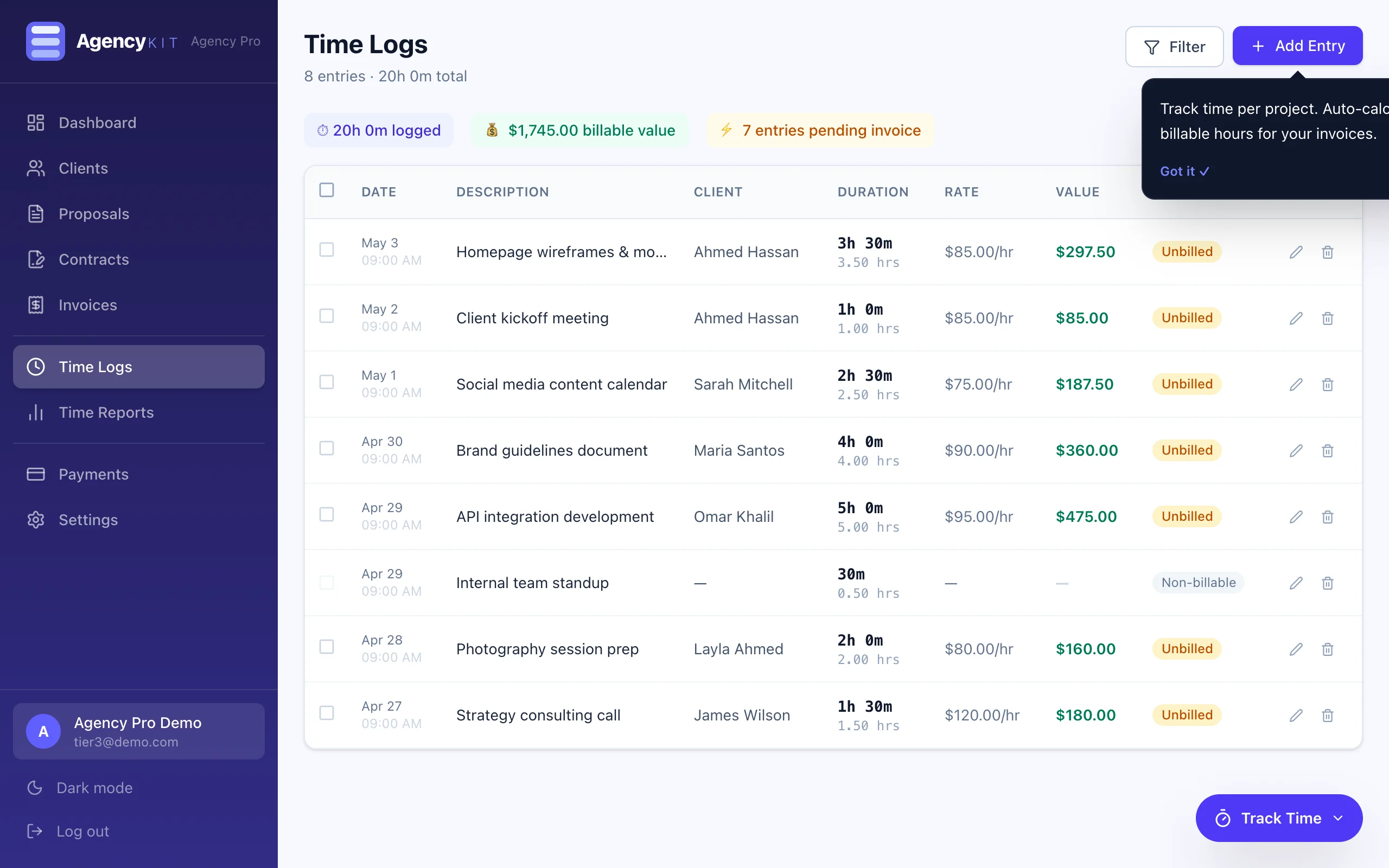
Use AgencyKit's built-in timer to track hours as you work. Assign each entry to a client and project. You can also add entries manually after the fact, useful for work done before you set up the tracker.
Review your billable hours
Open the client's time view to see all logged entries by date, project, and task description. Verify the hours are correct and mark any non-billable time (internal admin, revision overruns you're absorbing) as unbillable.
Select the entries you want to invoice
Choose which time entries to include in this billing cycle. You might bill all outstanding hours, or only those from a specific project phase. AgencyKit shows which entries are billed and which are still outstanding.
Click Convert to Invoice
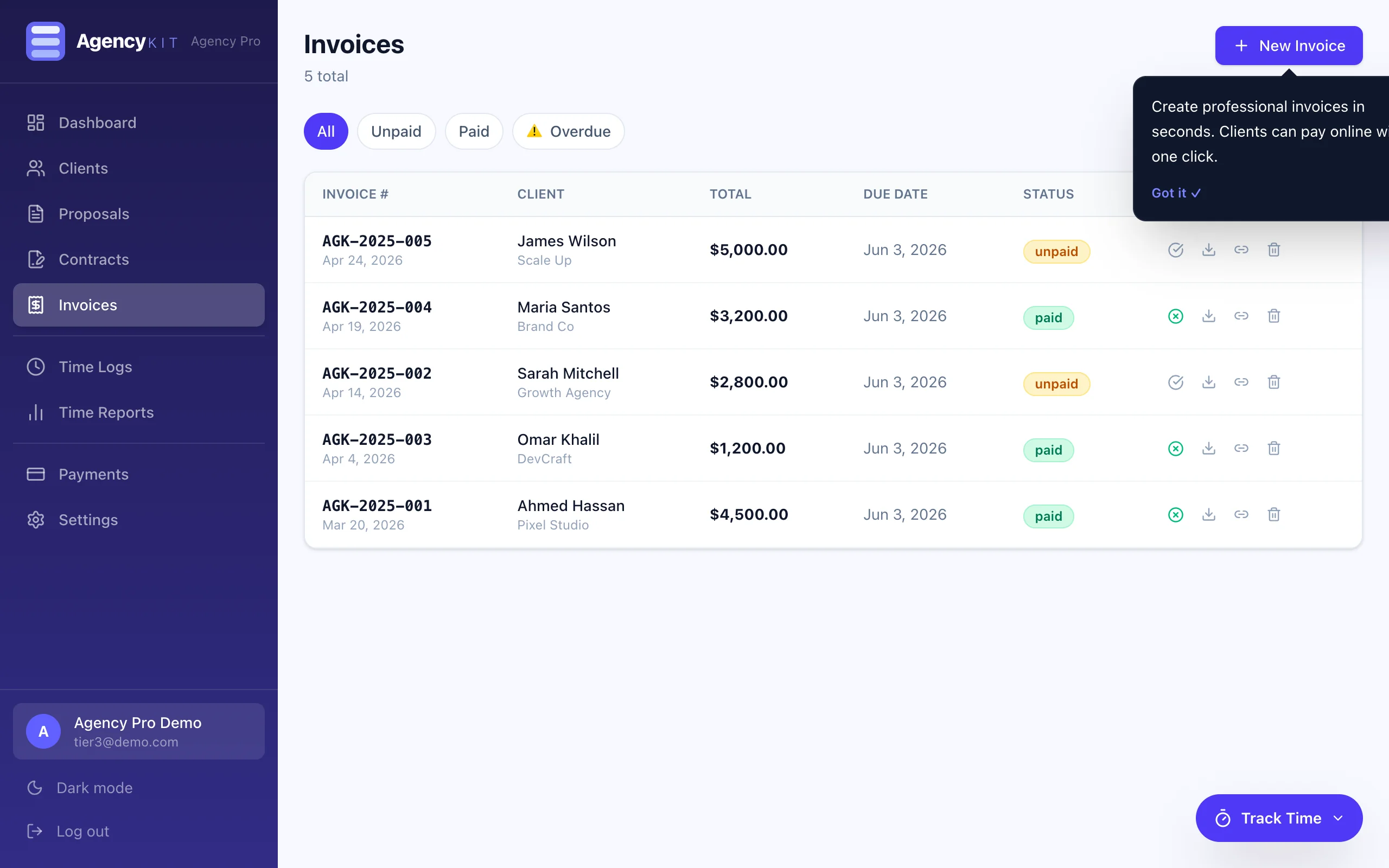
AgencyKit creates the invoice automatically. Each time entry becomes a line item: hours tracked, hourly rate, and calculated total. The client name, address, and currency are pre-filled from the client record. The invoice is ready to review in under 10 seconds.
Review, adjust, and send
Add any fixed-fee line items alongside the tracked hours if needed. Set the due date, add a note if required, and send. The client receives a professional invoice with an online payment link via Stripe or PayPal.
Why Automated Time-to-Invoice Matters
The manual alternative, tracking time in one tool and invoicing in another, creates friction at every step. Here is what it typically costs:
The Real Cost of Manual Time-to-Invoice
For a freelancer billing three clients per month, the manual approach consumes approximately 2.5 hours per month on administrative reconciliation alone. Over a year, that is 30 hours of billable time spent on admin instead of client work.
5 Methods for Tracking Billable Hours as a Freelancer
Before addressing which tools convert time to invoices, it's worth understanding the main approaches to time tracking itself. Choose the method that fits how you actually work, the best tracker is the one you'll use consistently.
Method 1: Real-time timer (recommended)
Start the timer when you begin work, stop it when you finish. Assign each entry to a client and project. This is the most accurate approach, no guessing at the end of the day. AgencyKit's built-in timer works this way.
Method 2: Manual entry at the end of the day
Log hours retrospectively at the end of each work session. Less accurate than real-time tracking, research suggests people underestimate time by 15–25% when logging from memory (source: Harvest Time Tracking Report, 2024), but better than no tracking at all.
Method 3: Calendar blocking
Block time on your calendar and use the blocks as the billing record. Works well for project-based freelancers who work in predictable chunks. Less suited to reactive or interrupt-driven work.
Method 4: Task-based tracking
Log time against specific tasks rather than open sessions. Useful for detailed project reporting but requires more discipline to maintain. Some clients appreciate itemised task-level breakdowns on invoices.
Method 5: Screenshot-based tracking
Tools like Hubstaff take periodic screenshots to verify work. Common in remote agency-client relationships where the client requires proof of hours. Not commonly needed for established freelance relationships.
The Method That Converts to Invoices Most Cleanly
Real-time timer tracking (Method 1) produces the cleanest invoice output because each time entry has a clear start time, end time, and duration. When you convert to invoice, each entry becomes one line item, no ambiguity, no rounding decisions. AgencyKit uses this approach natively.
Best Time Tracking Tools for Freelancers in 2026
The critical distinction is whether the tool connects time tracking to invoicing natively, or requires you to export data and create invoices manually elsewhere.
| Tool | Auto Invoice from Time | Invoicing Included | Pricing | Best For |
|---|---|---|---|---|
| AgencyKit | Yes, one click | Yes, full module | From $9/month (per account) | Full agency OS, all modules in one |
| Harvest | Partial, requires manual review | Basic invoicing | $12/seat/month | Teams needing time + basic invoicing |
| Toggl Track | No, export only | No invoicing | Free / $9/month | Tracking only, best free option |
| FreshBooks | Partial, import from some trackers | Full invoicing | $20/month | Established freelancers who already use FreshBooks |
| Bonsai | Partial, manual conversion | Yes | $25/month | Freelancers who prefer Bonsai's UI |
| Clockify | No, export only | No invoicing | Free / $6.99/month | Teams needing free basic tracking |
The Case for a Combined Time Tracking and Invoicing Tool
The productivity argument for a combined platform is straightforward: every tool boundary in your workflow is a friction point. When time tracking and invoicing live in separate applications, you create friction at the most critical moment in the billing cycle, the moment you convert work done into revenue.
AgencyKit is the only all-in-one freelancer platform that handles the complete workflow in one place:
- Client management, every client record links to their time history
- Time tracking, built-in timer, project-based, manual entry supported
- Automatic invoice creation, one click from tracked time to draft invoice
- Invoice sending, professional invoices with online payment links
- Payment collection, Stripe and PayPal connected, revenue tracked
For freelancers currently using Toggl plus FreshBooks (or a similar combination), switching to AgencyKit eliminates a tool, eliminates manual data transfer, and saves $39/month in software costs, plus the 2.5 hours per month spent on reconciliation.
For more on the full platform, see the complete software comparison. For the proposal side of the workflow, converting accepted proposals to invoices, see the proposal software guide.
Key Takeaways
- Converting time tracking to an invoice automatically requires a platform where both functions are native, not separate tools connected by CSV exports
- AgencyKit converts tracked hours to invoice line items with one click, the only platform in this category with fully automated time-to-invoice conversion
- The manual alternative (Toggl + FreshBooks or similar) costs approximately 2.5 hours per month in admin time and $39/month in software
- Real-time timer tracking produces the cleanest invoice output, each entry becomes one line item with no ambiguity or rounding
- AgencyKit replaces both time tracking and invoicing tools from $9/month, billed per account rather than per user
Frequently Asked Questions
Yes. AgencyKit converts tracked billable hours into invoice line items automatically. Select the time entries to bill, click Convert to Invoice, and AgencyKit creates a complete invoice, each entry as a line item with hours, rate, and calculated total. No manual re-entry required.
The most accurate approach is real-time timer tracking: start the timer when you begin work and stop it when you finish, assigning each entry to a client and project. AgencyKit includes a built-in timer that works this way. You can also add entries manually for work done before setting up the tracker.
The best time tracking software for freelancers in 2026 is one that connects directly to invoicing. AgencyKit includes built-in time tracking as part of its all-in-one platform, with one-click conversion to invoices. For tracking only, Toggl Track offers a strong free tier, but requires a separate invoicing tool.
Yes. AgencyKit combines time tracking and invoicing in a single platform. Log hours against a client project, then convert those hours to an invoice with one click, no switching between apps, no manual calculation, no CSV exports.
Agree on an hourly rate before the project begins. Track your hours in real time using a timer. At billing time, AgencyKit calculates the total automatically: hours logged multiplied by your hourly rate. You review the invoice before sending and can adjust any entries if needed.
In AgencyKit, time entries added to an invoice are marked as billed. This prevents double-billing and gives you a clear view of which hours have been invoiced and which are still outstanding, per client and per project.
Yes. AgencyKit lets you combine time-based line items (tracked hours) and fixed-fee line items in the same invoice. This is useful when you charge an hourly rate for some work and a fixed price for others, for example, a flat project management fee plus tracked development hours.
Toggl Track and Clockify offer free tiers for basic time tracking. However, free tools do not connect to invoicing, you still need to export hours and manually create invoices in a separate tool. AgencyKit's built-in time tracking connects directly to invoicing, with plans starting at $9/month.
Summary
Converting time tracking to an invoice does not have to be a manual, error-prone process. The five steps above, log, review, select, convert, send, take under five minutes in AgencyKit, compared to 30–40 minutes when using separate tools with manual data transfer.
For freelancers billing by the hour, this is the highest-impact workflow improvement available. The time saved compounds across every billing cycle, every client, and every month, before accounting for the reduction in errors and the $39/month in eliminated software costs.
Reading this in Google? You can tell it to show AgencyKit to you more often.
Sources & References
- Harvest, Time Tracking and Billing Report (2024). getharvest.com
- G2, Time Tracking Software Category Reviews (2026). g2.com
- Toggl, Time Tracking Benchmark Report (2024). toggl.com
- Capterra, Freelancer Time Tracking Tools pricing comparison (2026). capterra.com