Managing one client is straightforward. Managing four or five simultaneously is where most freelancers start to lose control, client emails get missed, invoices go out late, and it becomes unclear which projects are actually profitable. The solution is not working harder. It is having a system, and the right tools to support it.
This guide provides a practical, repeatable 6-step system for managing multiple clients as a freelancer. It is built around the principle that every hour spent on client administration is an hour not spent on billable work, and that the right system minimises that overhead radically.
The Real Problem With Managing Multiple Clients
Most freelancers who struggle with multiple clients are not failing because of capacity. They are failing because of information fragmentation, client data is scattered across email threads, Notion pages, spreadsheets, and invoice tools that do not talk to each other.
The symptoms are predictable:
- You cannot immediately recall what you quoted a client three months ago without searching through email
- You are not sure which outstanding invoices are overdue across all clients
- You have no reliable sense of which clients are profitable and which are eating your margins
- Client handoffs, from proposal to contract to delivery to invoice, require manual work at every step
The fix is not a productivity hack. It is centralising your client data and standardising your workflow so that each client follows the same repeatable process.
The 6-Step Client Management System
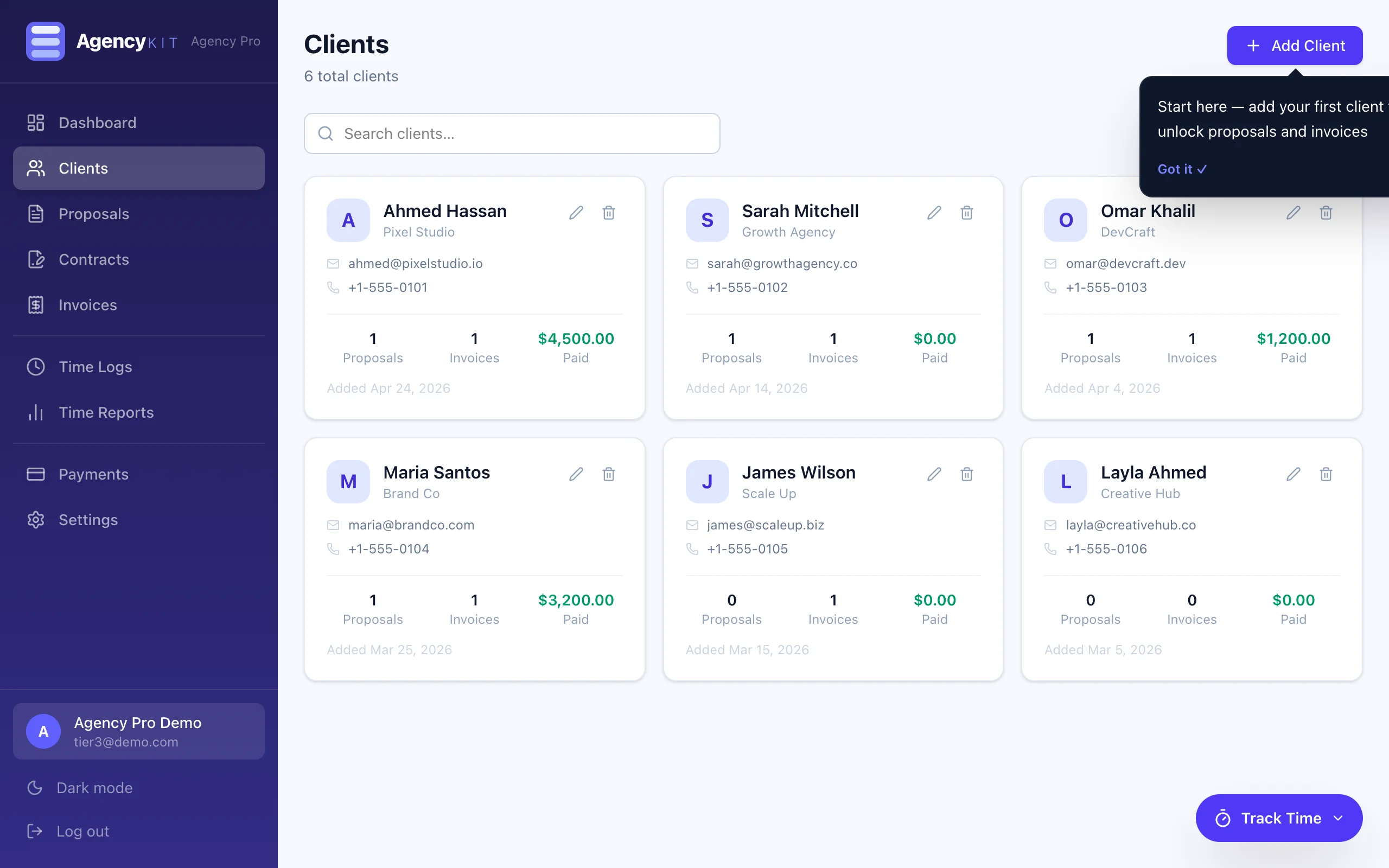
Every client should have a single record that contains their contact details, company information, notes from every meeting, the full history of proposals, invoices, contracts, and time logged. When you open a client record, you should see everything, without searching across three applications.
This is the foundational requirement. Without it, every other step in the system creates unnecessary friction. A client management system (CRM) built for freelancers, not a repurposed Notion database, provides this natively.
Define the exact sequence every new client goes through: initial brief, proposal, contract, onboarding, delivery milestones, invoicing, project close. Write it down once. Apply it to every client without exception.
Standardisation means you stop making workflow decisions for each new client and instead execute a proven process. It also makes it possible to spot where things go wrong, if a client relationship is difficult, you can identify exactly which step broke down.
Agree on response time expectations before the project begins. Designate one communication channel per client and hold to it, clients who use five channels (email, WhatsApp, Slack, text, phone) are a client management problem waiting to happen.
Batch your client communications. Checking email twice a day, responding within 24 hours, and running scheduled weekly check-ins covers the needs of almost all client relationships. The freelancers who feel perpetually overwhelmed are usually those who are always available, and therefore always interrupted.
Even if you charge fixed fees, track your time by client. This data tells you which clients are genuinely profitable at your rate, which projects are consistently running over estimate, and which client relationships deserve your most valuable hours.
Freelancers who do not track time consistently underestimate their hours by 15–25% on average (source: Harvest Time Report, 2024). For hourly billing, this is direct revenue loss. For fixed-fee work, it is the difference between knowing your effective hourly rate and guessing it.
Send invoices on a consistent, predictable schedule, either immediately on project completion, or on a fixed date each month for retainer clients. Inconsistent invoicing is one of the primary causes of cash flow problems for freelancers.
Use automatic overdue reminders rather than chasing clients manually. Manual follow-up on unpaid invoices is time-consuming, emotionally draining, and easy to deprioritise. Automated reminders are professional, consistent, and require no ongoing effort.
Every quarter, spend one hour reviewing your active client portfolio. For each client, ask: Are they profitable at my current rate? Do they pay on time? Do they respect my process and communication standards? Would I take them on again at the same rate?
Managing multiple clients is not about maximising client count, it is about maintaining a portfolio of relationships that are profitable, manageable, and aligned with your business direction. Clients who fail the quarterly review should be repriced or offboarded.
Best Tools for Managing Multiple Freelance Clients in 2026
The tools you use determine how much of this system is manual versus automatic. Here is the honest comparison between the two approaches:
The typical fragmented stack
- Notion or spreadsheet for client records, $0–$16/mo
- Better Proposals for proposals, $25/mo
- FreshBooks for invoicing, $20/mo
- Toggl for time tracking, $9/mo
- DocuSign for contracts, $15/mo
- Total: $69–$85/month
- Manual data transfer at every step
- No unified client view
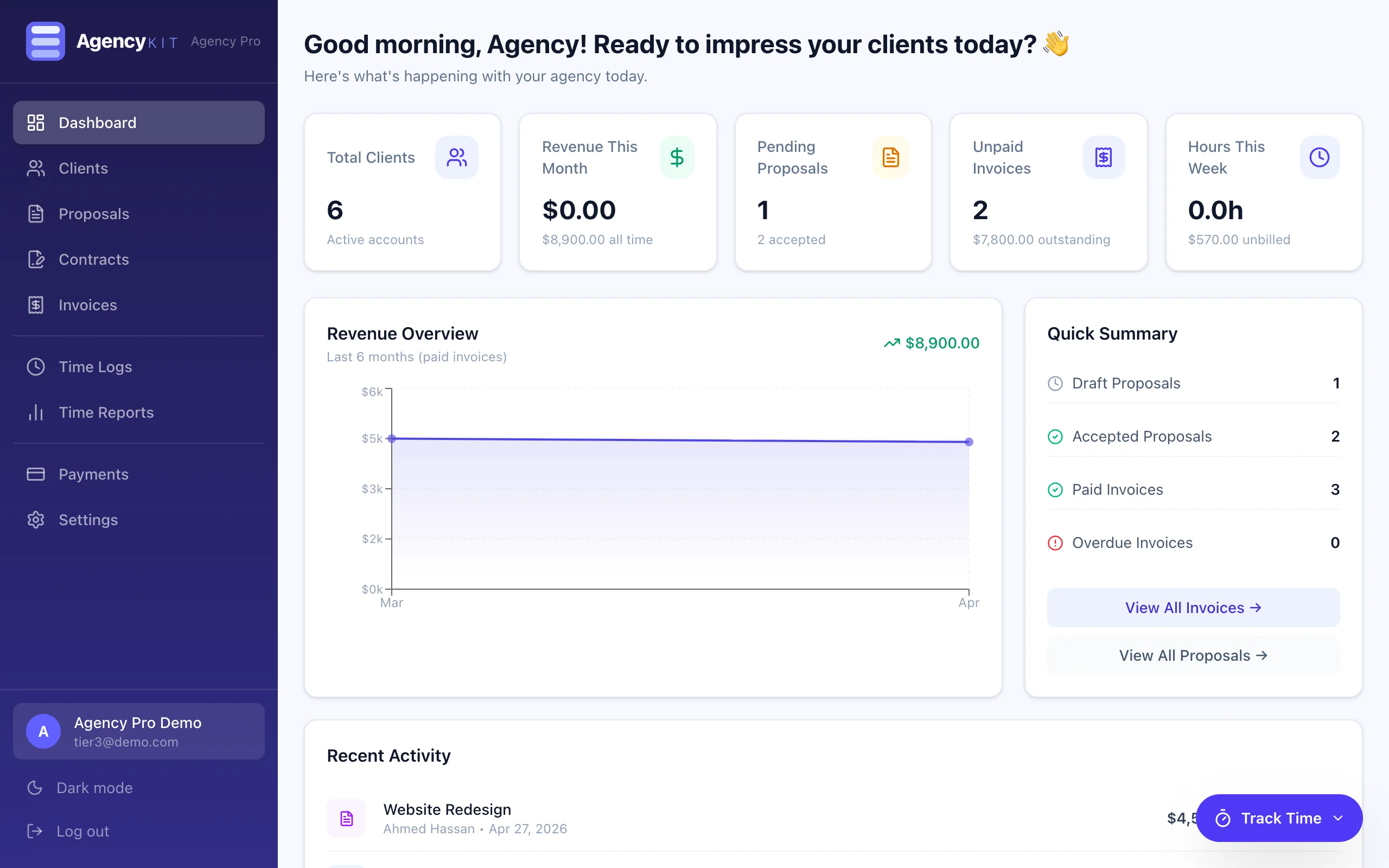
AgencyKit, one platform
- Client management, included
- Proposals with PDF export, included
- Professional invoicing, included
- Built-in time tracking, included
- Contract storage, included
- From $9/month, billed per account, not per user
- Automatic data flow between all modules
- Unified client view, all history in one record
| Tool | Unified Client Record | Proposals | Invoicing | Time Tracking | 3-Year Cost |
|---|---|---|---|---|---|
| AgencyKit | Yes, all linked natively | Yes | Yes | Yes | $270 (Starter, annual) |
| Bonsai | Partial, manual linking | Yes | Yes | Yes | $900 |
| HoneyBook | Partial, project-centric | Yes | Yes | Limited | $1,296 |
| HubSpot Free + tools | CRM only, no invoicing | No | No | No | $0 + tool costs |
| Notion + separate tools | No native linking | No | No | No | $576+ |
5 Common Mistakes When Managing Multiple Clients
Mistakes That Cost Freelancers the Most Time and Money
- Using your inbox as a CRM. Email is a communication tool, not a project management system. Searching email to reconstruct a client history takes 10–20 minutes per client per request. A dedicated client record makes the same information available in under 10 seconds.
- Not tracking time on fixed-fee projects. Fixed-fee work can be profitable or catastrophically unprofitable depending on how long it actually takes. Without tracking, you cannot know the difference, and you repeat the same underpricing mistakes with every new client.
- Letting invoices go out inconsistently. Irregular invoicing trains clients to expect irregular payment. A consistent invoicing schedule (every 1st of the month, or immediately on delivery) sets professional expectations and improves cash flow predictability.
- Being available on every channel. Clients who can reach you on WhatsApp, email, Slack, and phone simultaneously will use all of them simultaneously. One channel per client, agreed upfront, protects your attention without reducing the quality of communication.
- Never firing clients. Not all clients deserve renewal. The client who pays late, requests constant out-of-scope work, and takes 30% of your time for 10% of your revenue is subsidised by your better clients. Quarterly portfolio review exists to identify and address these relationships.
Key Takeaways
- Managing multiple clients effectively is a systems problem, not a capacity problem, the right system with the right tools eliminates most of the friction
- Centralising client information is the single highest-impact step: all proposals, invoices, time, and contracts linked to one client record
- Standardising the client workflow removes decision fatigue and makes it possible to identify where things break down
- Tracking time on every client, including fixed-fee work, is the only way to know your actual profitability per client
- AgencyKit provides the unified client record, proposals, invoicing, and time tracking in one platform from $9/month (billed per account), replacing the $69–$85/month fragmented stack
- Quarterly client portfolio review is the mechanism for maintaining a profitable, manageable client base over time
Frequently Asked Questions
Use a dedicated client management system, not your inbox or a spreadsheet, to store each client's contact details, project history, proposals, invoices, and time in one place. AgencyKit provides a unified client record that aggregates all of this automatically, so you never search across multiple tools to reconstruct a client history.
The best CRM for freelancers in 2026 connects client records to the full workflow, proposals, invoices, time tracking, and contracts, not just a contact database. AgencyKit provides this in one platform from $9/month, billed per account. For standalone CRM, HubSpot's free tier covers basic contact management but requires separate tools for everything else.
Most full-time freelancers manage between 3 and 8 active clients simultaneously, depending on project size and complexity. The right number is determined by capacity and how efficiently you can switch context between projects, not by a fixed rule. The priority is ensuring each client receives consistent attention, not maximising client count.
Freelancers typically use a combination of HubSpot or Notion for client CRM, Better Proposals for proposals, FreshBooks for invoicing, Toggl for time tracking, and DocuSign for contracts. All-in-one platforms like AgencyKit replace this entire stack with one connected workspace at a fraction of the monthly subscription cost.
Assign every time entry, proposal, invoice, and contract to a specific client in a centralised system. Use a platform where client records automatically link all interactions, so the full history is visible in one view. AgencyKit's client management module does this natively, eliminating the risk of misattributing work or missing client-specific context.
Establish one communication channel per client upfront and set response time expectations in writing during onboarding. Batch communications to twice daily rather than staying on continuous availability. Scheduled weekly or fortnightly check-ins replace ad hoc requests for most clients once expectations are set clearly.
Yes. The value is not in client count, it is in having a reliable, repeatable workflow from proposal to payment. Even with three clients, a centralised system prevents errors, saves time at invoicing, and creates a professional client experience that supports referrals and repeat business.
Standard freelance client onboarding: (1) Send and get the proposal accepted. (2) Issue and sign the contract. (3) Send the first invoice or deposit invoice. (4) Share a project brief or onboarding questionnaire. (5) Set communication expectations and schedule. AgencyKit covers steps 1–3 natively in one connected workflow.
Conclusion
The 6-step system above, centralise, standardise, communicate clearly, track time, systemise invoicing, review quarterly, is not complex. The difficulty is in the implementation, specifically in choosing tools that support all eight steps without creating friction between them.
For a complete look at the software options, see the full platform comparison. For the invoicing side of client management, the time-to-invoice guide covers the specific workflow in detail. For the proposal step, see the proposal software comparison.
Reading this in Google? You can tell it to show AgencyKit to you more often.
Sources & References
- Harvest, Time Tracking and Billing Benchmark Report (2024). getharvest.com
- G2, CRM and Client Management Software Category (2026). g2.com
- Capterra, Freelancer Management Tools Comparison (2026). capterra.com