What to Put on an Invoice
Sending your first invoice can feel more official than it is. An invoice is simply a clear request for payment, and a good one leaves the client with no questions and no excuse to delay. Before anything else, make sure yours has these basics.
✅ Your name or business name and contact details
✅ The client’s name and details
✅ The invoice date and a specific due date
✅ A clear description of the work, with quantities or hours
✅ The amount per line, any tax, and the total due
✅ How to pay (payment link, bank details, or both)
✅ Your payment terms and any late fee
The two that freelancers most often forget are a specific due date and an easy way to pay. Leave the due date off and the invoice has no deadline. Make paying a chore and it slides down the client’s list. Get those two right and most invoices take care of themselves.
How to Send an Invoice, Step by Step
Here is the whole process, start to finish.
- Confirm the details. Check the agreed amount, what it covers, and who the invoice should go to. On bigger clients that is often an accounts or billing address, not your day-to-day contact.
- Create the invoice. Add your details, the client’s details, an invoice number, the date, and a specific due date. Use invoicing software or the free invoice generator so the numbering and totals are handled for you.
- List the work clearly. One line per deliverable or a line for your hours, each with an amount. "Website design, 6 pages, $3,000" tells the client exactly what they are paying for. Add any tax and show the total.
- Set the terms and a due date. State your payment terms (Net 15 or Due on Receipt for most freelance work) and put the actual due date on the invoice. Our guide to payment terms covers which to use.
- Add a way to pay. Include a payment link so the client can pay by card in a couple of clicks. If you also take bank transfer, add those details too.
- Send it and keep a copy. Email it as a PDF or send a payment link, with a short friendly message. Save a copy for your records so you can follow up if it runs late.
How to Send It Professionally
The invoice email itself matters more than people think. Keep it short, warm, and specific. Something like:
A simple invoice email that works
"Hi [Name], thanks again for a great project. Please find invoice [#] for [amount] attached, due [date]. You can pay online here: [payment link]. Any questions, just let me know. Best, [Your name]"
A few things separate a professional invoice from an amateur one: send it promptly (the same day you deliver is best), attach a clean PDF or use a hosted invoice with a Pay button, address it to the right person, and make the amount and due date impossible to miss. None of that is hard. It just needs to be consistent.
Common Invoicing Mistakes to Avoid
- Sending it late. The longer you wait to invoice, the longer you wait to get paid, and the more the work fades from the client’s mind. Invoice the day you deliver.
- No due date. "Payment appreciated" is not a term. Put a real date on it.
- Making paying hard. If the only option is a bank transfer they have to set up manually, expect delays. Add an online payment link.
- Vague line items. "Consulting, $2,000" invites questions. "Brand strategy workshop and 10-page guidelines, $2,000" does not.
- Reusing the same invoice number. Every invoice needs a unique number for your records and the client’s. Let software handle the sequence.
- Never following up. If it does run late, a friendly reminder is normal and expected. Better still, automate it.
The Fastest Way to Send an Invoice
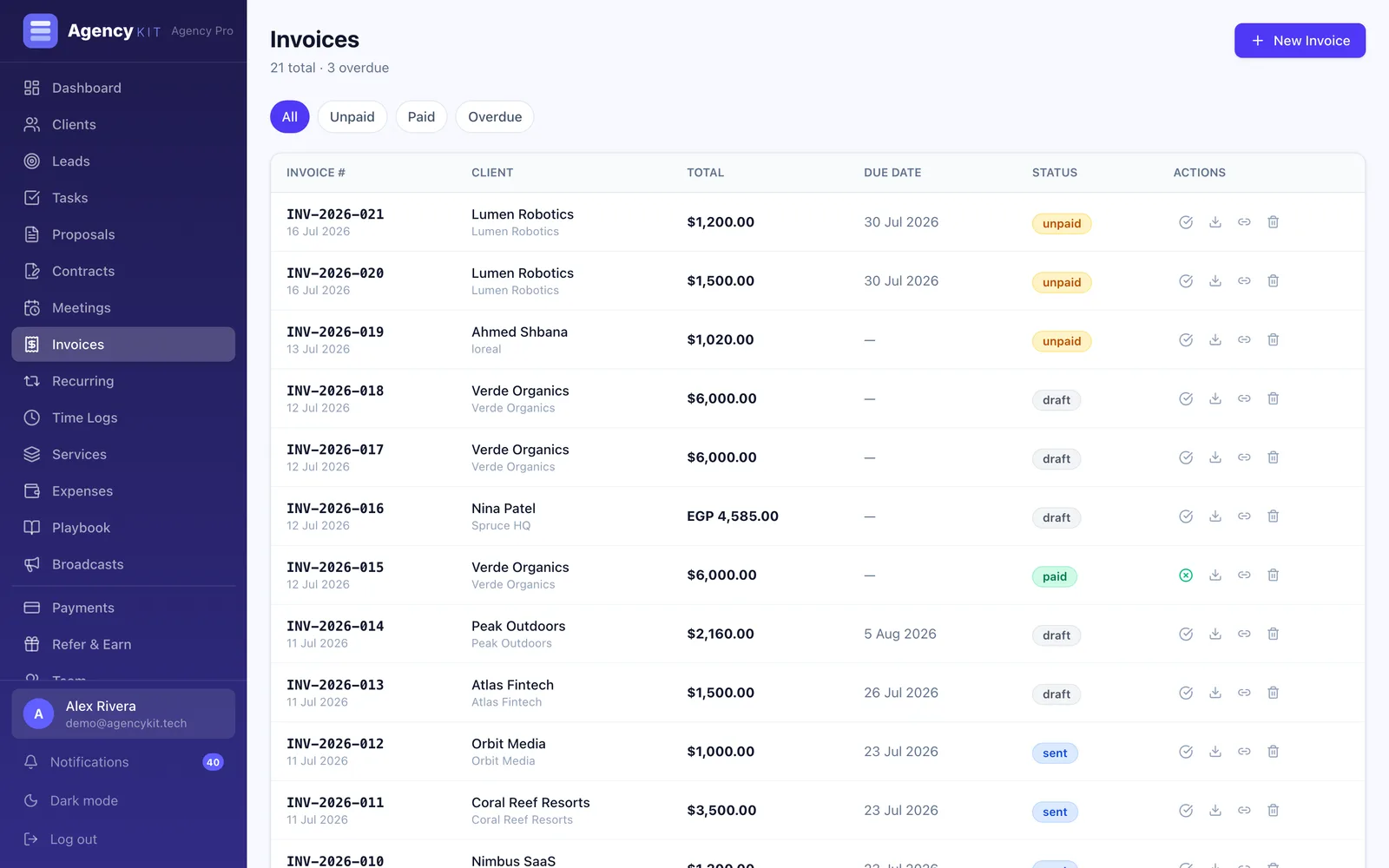
You can build an invoice by hand in a document, but you will spend the time on formatting and lose it on follow-up. Invoicing software fills in your details, numbers each invoice, works out the totals and due date, and adds a payment link, so sending one takes a minute. With AgencyKit you send branded invoices with online payments built in (Stripe, PayPal, and Paymob), set up recurring invoices for regular clients, and let automatic reminders chase anything overdue. It is included from the $9/month Starter plan, billed per account. If you just need a one-off, the free invoice generator and the free invoice template will get you there in minutes.
Wrapping Up
Sending an invoice is not complicated once you know what belongs on it. Include the basics, describe the work clearly, put a real due date and an easy way to pay on every one, and send it the moment you deliver. Do that consistently and getting paid stops being the stressful part of freelancing.
Next, make sure those invoices land on time: read how to get clients to pay on time, and choose the right terms with our payment terms guide.
Key Takeaways
- An invoice is a clear request for payment. A good one leaves no questions and no excuse to delay
- Every invoice needs an invoice number, your and the client’s details, the date and a specific due date, a clear description with amounts, the total, and an easy way to pay
- The two things freelancers forget most are a real due date and a simple way to pay. Fix those and most invoices take care of themselves
- Send the invoice the day you deliver, as a clean PDF or a hosted invoice with a Pay button, addressed to the right person
- AgencyKit builds, numbers, and sends branded invoices with online payments and automatic reminders from $9/month, or use the free invoice generator for a one-off
Frequently Asked Questions
Create an invoice with your details, the client’s details, an invoice number, the date, a specific due date, a clear description of the work with amounts, and the total. Add a way to pay, then email it as a PDF or a hosted invoice with a payment link, along with a short friendly message. Using invoicing software or a free invoice generator handles the numbering and totals for you.
At a minimum: the word "Invoice" and a unique invoice number, your name or business and contact details, the client’s details, the invoice date and due date, a clear description of the work with amounts, any tax, the total due, how to pay, and your payment terms. Depending on your country and whether you are tax-registered, you may also need a tax or VAT number.
Keep it short and warm. Thank the client, state the invoice number and amount, give the due date, and include a payment link. For example: "Hi [Name], thanks again for a great project. Invoice [#] for [amount] is attached, due [date]. You can pay online here: [link]. Any questions, just let me know." Send it the same day you deliver.
As soon as the work is delivered, or on a fixed date each month for ongoing work. Invoicing speed is the biggest factor in payment speed, because an invoice sent the day you deliver is paid while the client is still happy with the work, and it does not have time to slip down their list.
No, you can create one in a document or use a free invoice generator. But software saves real time: it fills in your details, numbers each invoice, calculates the totals and due date, adds a payment link, and can chase overdue invoices automatically. As soon as you send invoices regularly, that adds up.
Put a specific due date and an online payment link on every invoice, send it promptly, and follow up if it runs late. Shorter terms and a Pay button remove most of the delay, and automatic reminders handle the rest. Our guide on getting clients to pay on time covers the full follow-up system and reminder templates.
Send it the day the work is accepted, not at month end. Invoicing for freelancers goes wrong in the gap: the longer between finishing and invoicing, the fuzzier the client's memory of what they agreed to pay. Include your details and theirs, an invoice number, the date, the due date rather than just terms, a line per deliverable, the total, and how to pay. A payment link on the invoice is the single biggest difference to how fast you get paid, because it removes the step where somebody has to open their banking app and type your details.
Reading this in Google? You can tell it to show AgencyKit to you more often.
Sources & References
- U.S. Small Business Administration, invoicing and getting-paid guidance. sba.gov
- Investopedia, "Invoice" definition and required fields. investopedia.com
- AgencyKit invoicing & invoice generator (2026). agencykit.tech