What Is a Virtual Assistant Scope of Work?
A scope of work for a virtual assistant defines exactly what tasks you handle, how many hours a month, and what falls outside your services. VA work is uniquely prone to sprawl, because "help with admin" can mean almost anything, and a client who hires you for inbox management can slowly hand you their bookkeeping, their social media, and their personal errands. A clear scope draws the line, so the hours you are paid for are the hours you actually work.
The two anchors of a VA scope are the task list and the hour cap. Together they turn an open-ended "assistant" role into a defined service, which protects your time and keeps the relationship healthy as it grows.
The Free Virtual Assistant Scope of Work Template
A full VA scope you can copy and adapt: The template sets the services, the hours, and the access and boundaries that keep the role manageable. Replace everything in [brackets].
2. Services. The Assistant provides [inbox and calendar management, scheduling, research, data entry, travel booking, and general admin support]. List the specific task types you cover.
3. Hours. Up to [20] hours per month, tracked. Work beyond the monthly hours is agreed in advance and billed at [$XX] per hour.
4. Availability and response. Available on [business days, in the agreed time zone], with responses to routine requests within [X] hours and urgent ones within [Y] hours. Out-of-hours and weekend work is not included.
5. Tools and access. The Client provides access to the tools and accounts required, ideally through [a password manager or shared access], not by sharing raw passwords.
6. Out of scope. Specialized work such as design, development, bookkeeping, or copywriting, and any task outside the services listed above. These are referred out or quoted separately.
7. Confidentiality. Both parties keep shared information confidential. [Governed by a separate NDA, if one applies.]
8. Payment. [$X,XXX] per month, billed on the [1st], due in advance.
Signed: [Assistant] __________ [Client] __________ Date: __________
List the tasks you do, and mean the rest are out
The single most useful line in a VA scope is the list of services you cover, paired with a clear out-of-scope note. When a client asks you to take on something new, the list turns it into a simple decision: is it in the agreed services or not? If not, it is a separate conversation about hours or a referral, not an assumed addition to your plate.
What a Virtual Assistant Scope Must Define
A few sections keep a VA role from sprawling.
The task list. Name the services you provide. "Admin support" is too broad. "Inbox and calendar management, scheduling, and research" is a scope a client cannot quietly stretch.
The hour cap. State the hours a month and that extra work is agreed and billed separately. The hour cap is what stops an open-ended role from eating unlimited time.
Access, handled safely. Note how the client gives you access to tools and accounts, ideally through shared access or a password manager rather than raw passwords, which protects both of you.
Availability. Define the days and hours you work and your response times, so a part-time assistant is not treated as an on-call one.
Turn the Scope Into a Signed Retainer
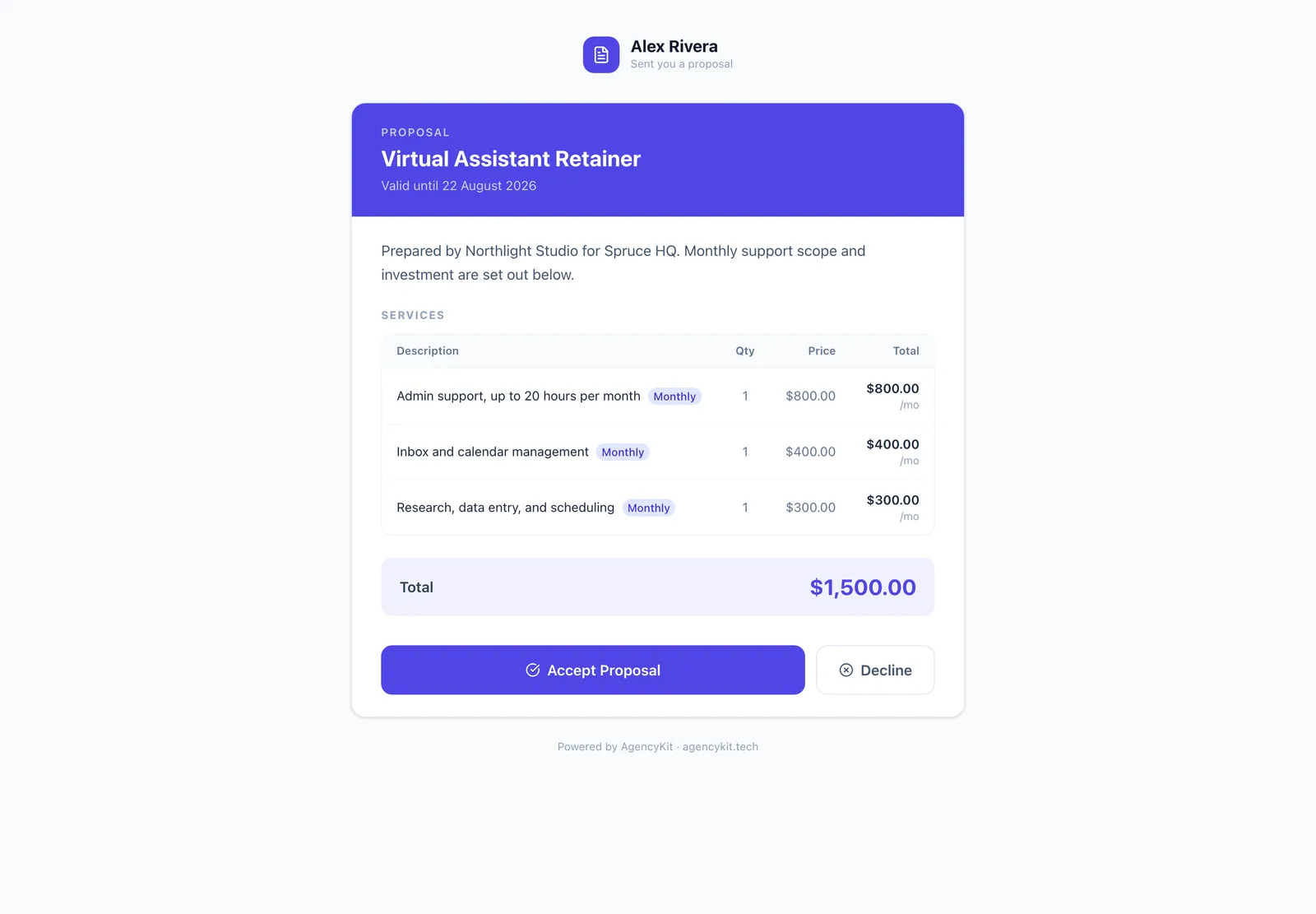
VA work is ongoing, so it runs best on a retainer. In AgencyKit, you present the scope as a proposal, run the monthly fee as a retainer that invoices automatically, and use built-in time tracking to keep the hours against the cap. It works internationally, which matters for VAs. See also the best HoneyBook alternative for virtual assistants.
Wrapping Up
A virtual assistant scope of work is your defence against the slow creep that turns a defined role into an open-ended one. List the tasks you cover, cap the hours, handle access safely, and set your availability. Then present it as a proposal and run it as a retainer with time tracking. Copy the template, set your terms, and take on VA work where the hours you are paid for match the hours you work.
Next, set the commercial terms with the virtual assistant retainer agreement template, and see how to stop scope creep.
Key Takeaways
- A VA scope of work defines the tasks you cover and caps the hours, turning an open-ended role into a defined service
- The task list and the hour cap are the two anchors that stop VA work from sprawling
- Handle account access safely, through shared access or a password manager, not raw passwords
- Set your availability and response times so a part-time role is not treated as on-call
- Run the scope as a retainer with time tracking, so the hours you are paid for match the hours you work
Frequently Asked Questions
A VA scope of work defines exactly what tasks a virtual assistant handles, how many hours a month, and what is out of scope. A VA scope lists the services you cover (such as inbox management, scheduling, and research), caps the monthly hours, sets your availability and response times, notes how account access is handled, and includes confidentiality. A written scope turns an open-ended assistant role into a defined, manageable service.
Name the specific services you provide, cap the monthly hours and state that extra work is agreed and billed separately, set your availability and response times, note how the client gives you safe access to tools and accounts, list what is out of scope (specialized work like design or bookkeeping), include confidentiality, and set the fee and payment terms. The task list and the hour cap are the two anchors.
The right number depends on the client’s needs and your capacity, and common VA retainers range from a handful of hours a month up to part-time or full-time equivalents. The key is to state a specific cap in the scope, because an uncapped VA role becomes unlimited work for a fixed fee. Price the retainer on the hours reserved, and agree that work beyond them is billed separately.
With a clear list of services and an hour cap. When a client asks you to take on something new, the list makes it a simple decision: is it in the agreed services or not? If it is outside them, it becomes a separate conversation about adding hours or referring the work out, rather than an assumed addition. The scope does the boundary-setting so you do not have to each time.
Safely, through shared access or a password manager rather than by sending raw passwords, and the scope should note this. Most tools let an owner grant delegated or shared access without revealing the password, and a password manager can share credentials securely. Handling access properly protects both the client’s security and the assistant, and it is worth stating as the expected method in the agreement.
Yes. Virtual assistants often see sensitive information: inboxes, calendars, contacts, and business data, so a confidentiality clause, or a reference to a separate non-disclosure agreement, belongs in every VA scope or contract. A confidentiality clause protects the client’s information and sets a professional standard. Clients handling sensitive data will often expect or require it before granting access.
Present it as a proposal the client accepts online, with the services, hours, and fee laid out, then run it as a monthly retainer that invoices automatically. Use time tracking to keep the hours within the agreed cap and to show when a client is consistently going over and should move to a larger retainer. In an all-in-one tool the proposal, retainer, and time tracking all live together.
Reading this in Google? You can tell it to show AgencyKit to you more often.
Sources & References
- U.S. Small Business Administration, contracts and scope guidance. sba.gov
- AgencyKit proposals, retainers & time tracking (2026). agencykit.tech
- AgencyKit features & pricing (2026). agencykit.tech/pricing